
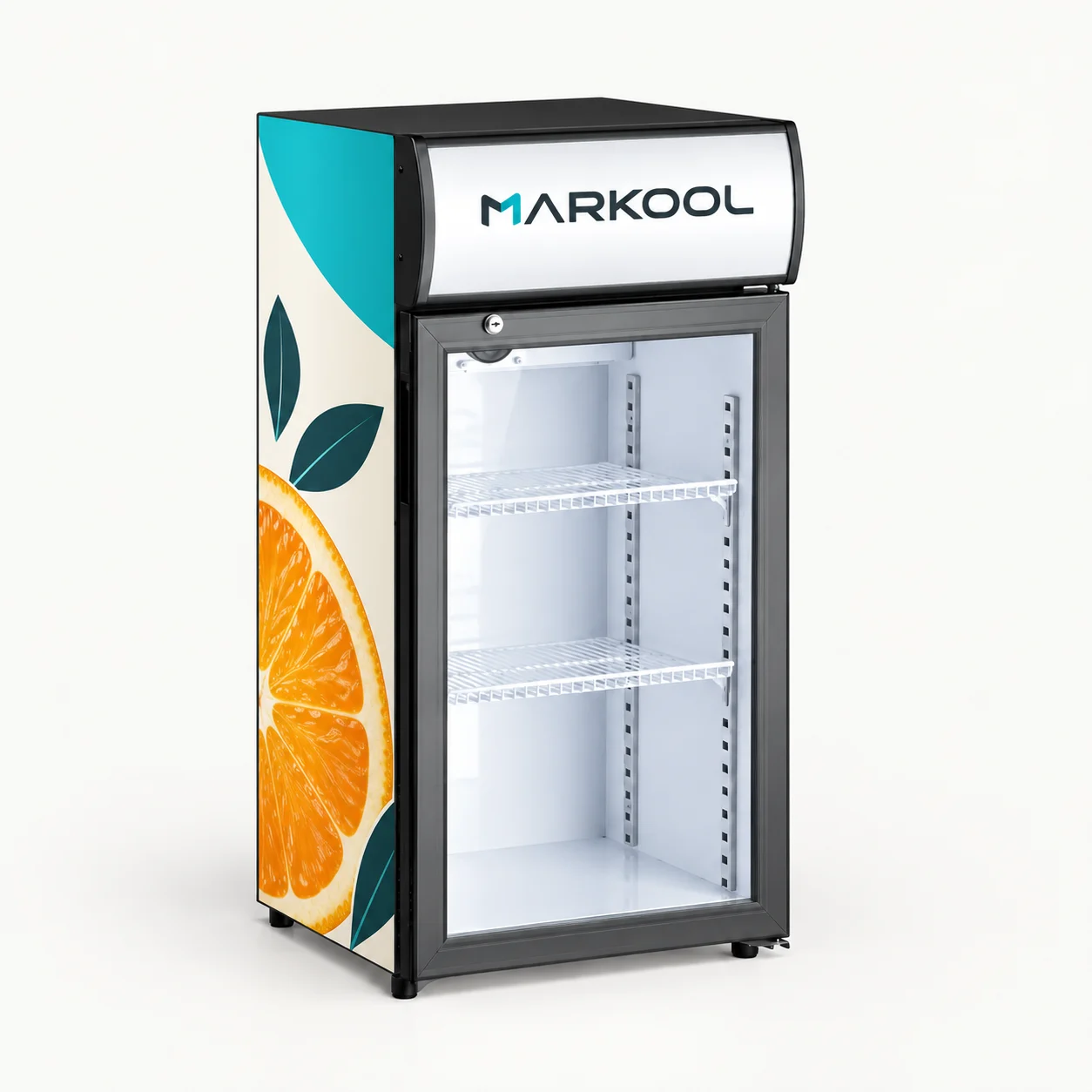
Countertop
Keep the header and side artwork distinct
Review the logo at counter viewing height, then check the side panel against the actual cabinet template. Keep the glass viewing area and door operation clear.
Use this direction in my brief ↗Branding artwork approval
A mockup helps you agree the visual direction. A usable handoff also identifies the cabinet, graphic surfaces, material choices and exact artwork revision.
Worked visual direction
The colour palette, fruit motif and MARKOOL identity stay consistent. Their position and scale change with the cabinet: a header and side panel on the countertop format, a continuous body graphic on the can-shaped format.
Countertop
Review the logo at counter viewing height, then check the side panel against the actual cabinet template. Keep the glass viewing area and door operation clear.
Use this direction in my brief ↗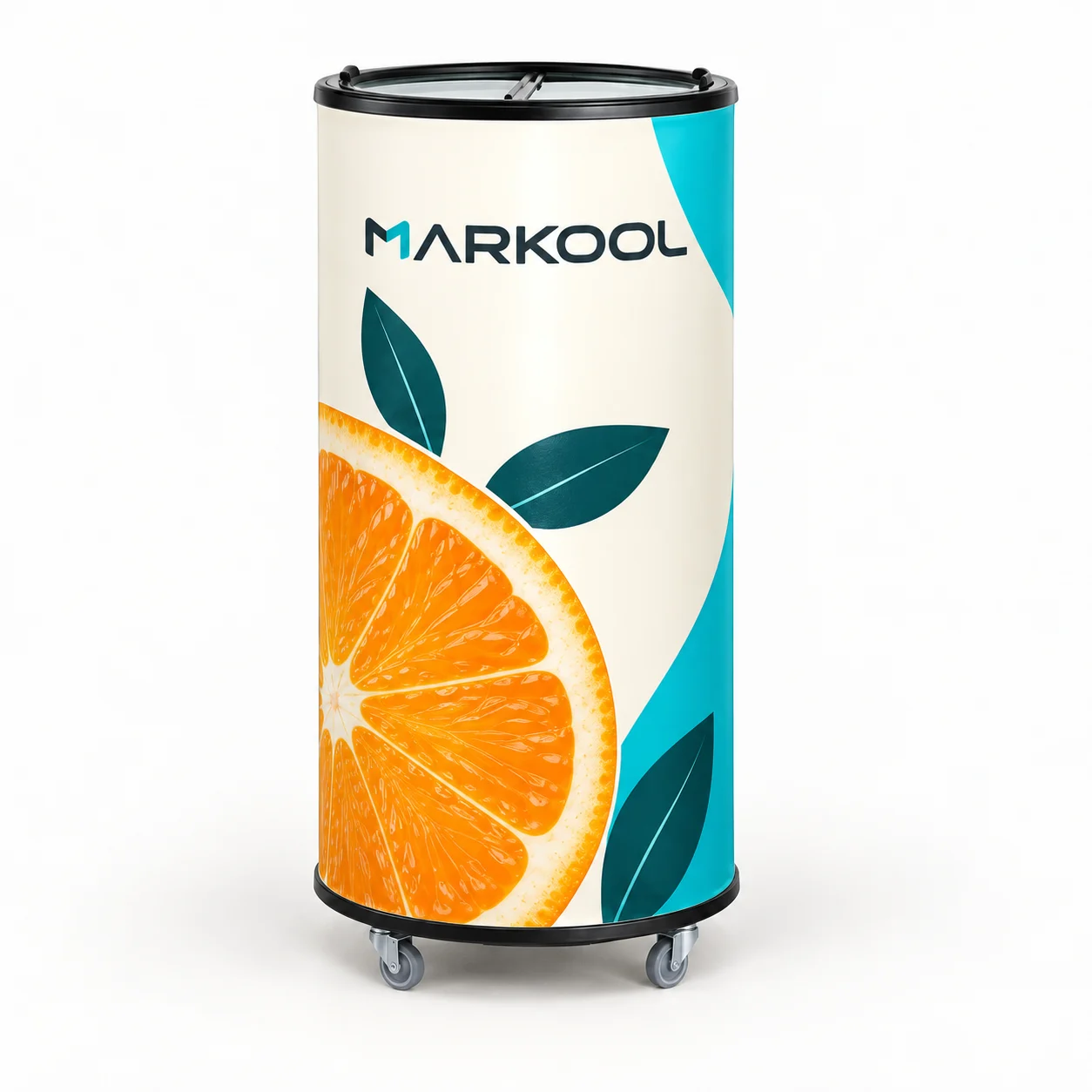
Can-shaped / promotional
Decide where the main mark faces the buyer and where the wrap meets. Confirm the artwork boundaries around the lid, base and any openings on the chosen model.
Use this direction in my brief ↗Design illustrations, not customer installations, scale drawings or approved print files. Select an image to inspect the full artwork concept. Final layouts use the chosen model’s current drawing and template.
From visual idea to sample brief
Use this example to separate the common brand direction from the files and decisions required for each cabinet. Confirm quantities by model and artwork revision before preparing a sample or order.
Swipe across the table to compare all three columns. With a keyboard, focus the table and use the arrow keys.
| Decision | Shared campaign direction | Confirm for each cabinet |
|---|---|---|
| Brand identity | Approved logo, citrus motif and colour references | Logo size, orientation and visibility from the intended approach |
| Base cabinet | Retail or promotional placement brief | Exact model, current drawing, footprint and opening clearance |
| Graphic surfaces | Consistent visual hierarchy | Countertop header and side templates; separate cylindrical body-wrap template |
| Artwork boundaries | Keep the product and access points usable | Viewing areas, handles, openings, seams and exclusion zones on the actual model |
| Material and finish | Agreed colour and appearance intent | Substrate, print or finishing method, adhesion and cleaning compatibility |
| Physical sample | Reference colours and agreed acceptance points | Actual size, finish and viewing conditions; lighting proof only where applicable |
| Release record | Named decision owner and campaign version | Model, file revision, quantity, unresolved items and sample sign-off |
Identify the cabinet and review the relevant front, side and detail views. Locate logos, colour blocks, graphic seams and any illuminated areas. Check viewing distance and placement with the artwork.
A generic rendering does not define print dimensions or confirm a replaceable-panel mechanism. Use the chosen model’s current template.
Record the material, print or finishing method, colour reference and cleaning requirements for each surface. Compare a physical colour or finish sample when appearance is critical.
Glass graphics, metallic effects and illuminated faces need their own appearance checks. The same artwork can look different on different materials.
Pair the visual file with the cabinet drawing, surface schedule, material samples and open items. Name the approver and the revision accepted for sampling.
Visual approval settles appearance. Mechanical changes, ventilation, wiring, performance and market documentation follow the relevant technical review before production.
Send your preferred model or placement, logo files, colour references, campaign direction and approximate quantities by artwork. If you have not selected a cabinet, include the drink packs and available space.
Concept scope, fees and timing are agreed for the project. You can download and complete the brief without making an enquiry.